 iris market
Iris Market
Browse goods and services without an account. Sign in to post what you’re offering or looking for.
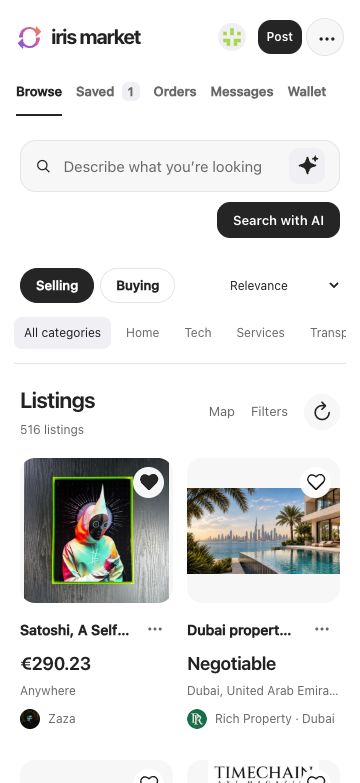
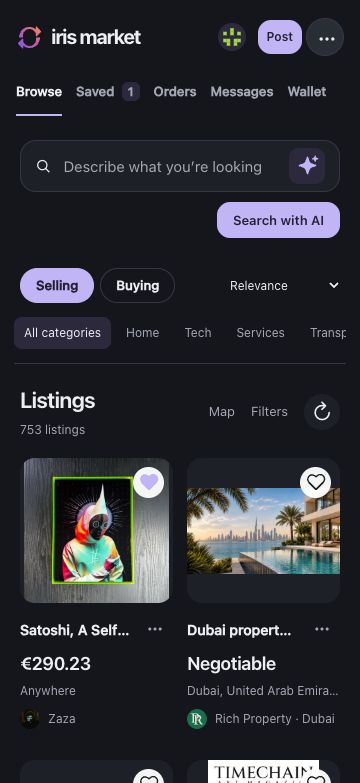
Listings
Switch between offers and requests in a list, a photo grid or on a map. Save a listing or copy its link to share it.
Search
Search by keyword, or use AI on your device to find matches for a description. You can switch back to all results at any time.
Profiles and messages
Message a seller in an encrypted chat. Open their profile to see their other listings and who follows them. On the web, publish a collection of listings from different sellers.
Pickup, delivery and rides
Agree on pickup in the order chat, book a courier for a delivery, or post a ride request. Follow order updates in the app.
Bitcoin offers
Search for “bitcoin” or “BTC” to see public buy and sell offers. Open a quote to check its source, amount, currency and any listed payment methods.
Wallet
Turn on the Cashu wallet to send or receive sats and pay Lightning invoices. The mint you choose holds the funds.
Escrow
Choose a third person to help settle a trade. Two of the three participants must approve a payout or refund.
Private matching
Send an offer or request to a helper you choose. If they find a private match, both people must agree before the helper shares contact details.
Command line
Use the CLI to search listings, post offers and requests, or read messages. Try it offline with the preview command, or connect an assistant through MCP.
CLI and MCP reference ↗Windows CLI requires the Microsoft Visual C++ x64 runtime.
cargo install iris-market --version 0.1.4 --locked
iris-market --help
iris-market tools
iris-market preview ./preview-data